

Turning an idea into a finished project is rarely a straight line. There’s the brainstorming phase, where everyone’s throwing ideas around, followed by the careful planning stage, and then — if everything goes smoothly — the execution that actually gets the job done. The tricky part? Keeping every moving piece connected, so nothing slips through the cracks.
That’s where Lark comes in. It’s an all-in-one platform designed to help teams do more than just talk about work — it helps them move from those early planning sessions to measurable results without losing momentum. Among the best project management tools, Lark keeps teams moving forward, whether they’re in the same office or spread across different time zones.
Managing projects with everyone involved
Every solid outcome begins with a plan that makes sense to everyone involved. Lark’s strength lies in keeping that plan connected to the actual work — not buried in emails or lost in a shared drive somewhere.
Lark Base is the foundation for this. Think of it as an innovative, visual workspace where you can lay out tasks, assign responsibilities, set deadlines, and track progress without having to juggle multiple tools. Instead of a static spreadsheet, Base updates in real time, so if a task changes hands or a due date shifts, the whole team sees it instantly.
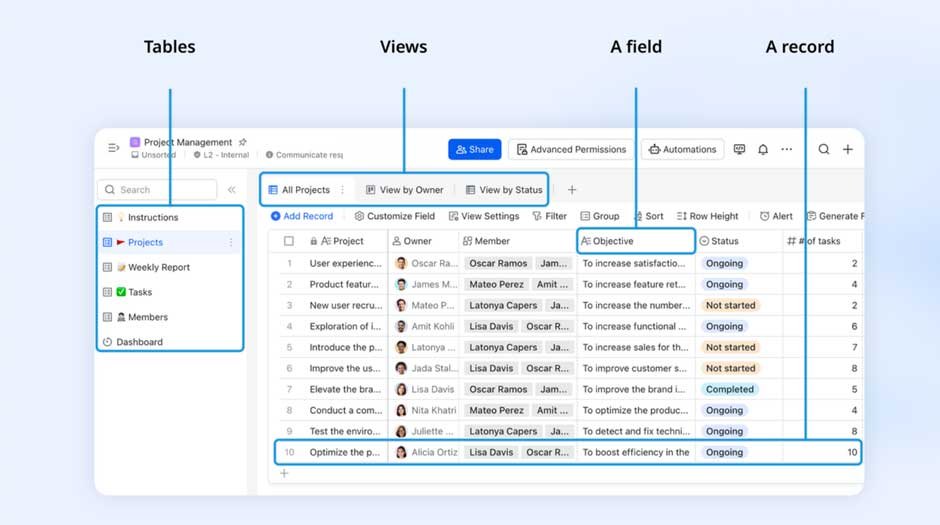
A product launch, for example, might start in Base with a timeline of tasks. The marketing team drafts content in Docs, designers upload assets to shared folders, and the campaign calendar keeps deadlines in sight. External partners — say, a freelance copywriter or a video production agency — can be invited to the specific parts they need to see, without exposing unrelated company data.
Taking the grind out of repetitive tasks
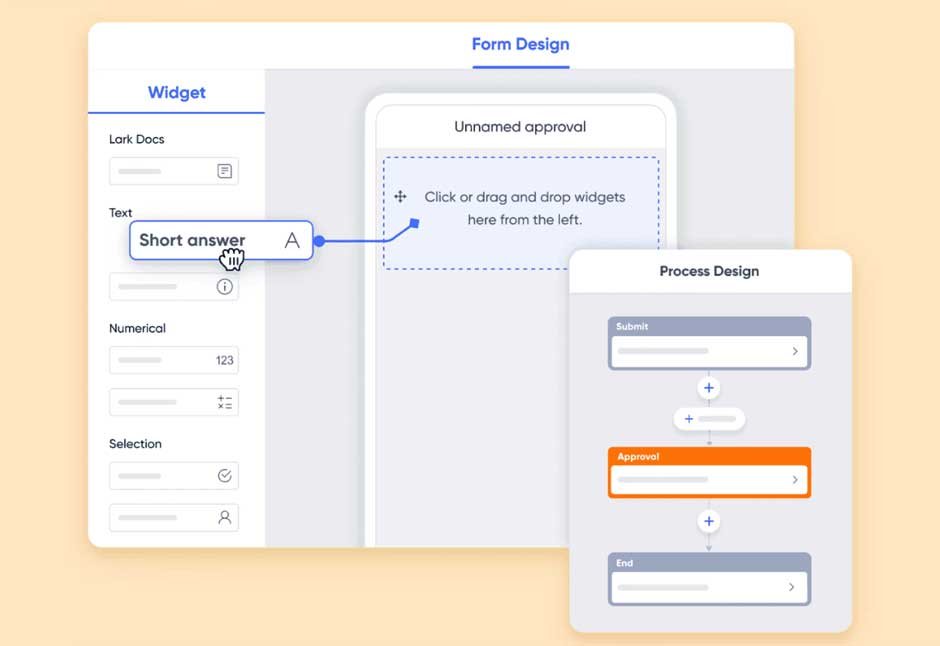
Lark Base Workflow
Once a project is in motion, there’s often a pile of “administrative upkeep” that steals time from more valuable work. That’s where Lark Base’s Workflow feature steps in.
By setting up an automated workflow in Workflow, teams can cut down on manual check-ins and repetitive approvals. For example, a sales team could have a workflow where every time a new lead is added to Base, a follow-up task is created, assigned, and logged without anyone lifting a finger.
This isn’t just about speed — it’s about consistency. Important steps don’t get skipped because someone got busy, and team members can focus on solving problems instead of chasing updates.
Keeping processes smooth as teams scale
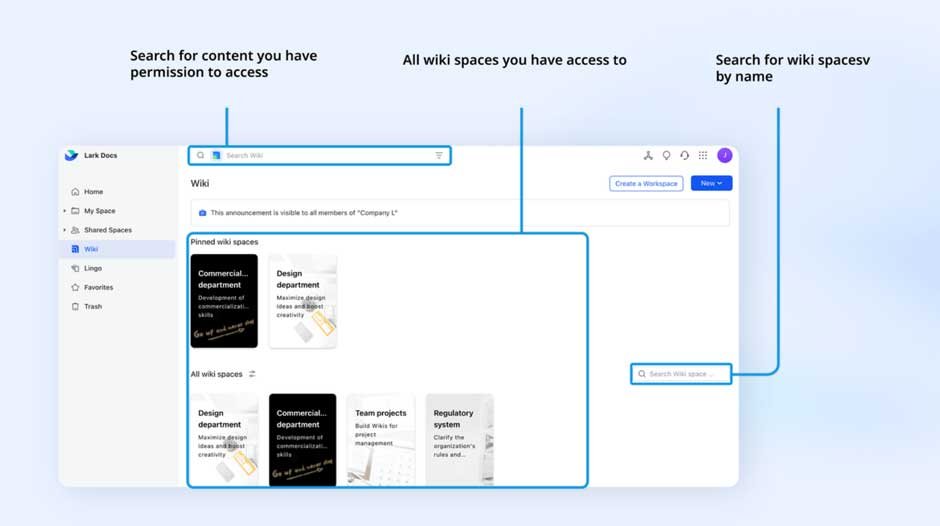
Lark Wiki
Growth brings opportunity, but it also tends to bring complexity. What used to be a quick, informal process can quickly turn into a tangled chain of messages, documents, and unclear responsibilities.
Lark avoids this problem by giving every process a home. Wiki works as a searchable, cloud-based library of everything the organization needs to run — standard operating procedures, policy documents, reference guides, and more. Because it’s connected to the rest of Lark, a team member can link directly to a Wiki page from a task in Base or a message in Messenger.
When you combine Wiki with Base’s structured data and automation, Lark becomes a reliable business process management software for daily operations. A logistics company, for instance, could keep route planning templates in Wiki, track shipments in Base, and set up alerts to notify dispatch teams when deliveries are delayed. All of it happens in one workspace, and nothing gets buried in an endless thread of emails.
Communicating to keep up with work
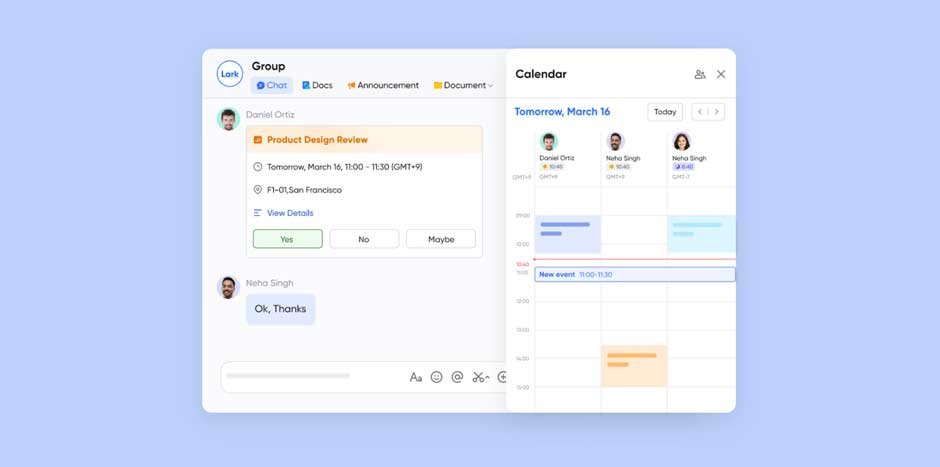
Lark communication tools
In many projects, the biggest delays happen when communication breaks down. Lark keeps those delays to a minimum by making conversations easy to start, easy to follow, and always connected to the work at hand.
- Messenger keeps topics organized with threaded conversations, mentions, and file sharing that works seamlessly with Docs and Base.
- Meetings let you host high-quality video calls, take collaborative notes in real time, and record sessions for anyone who can’t attend.
- Calendar ties directly into Messenger and Meetings, making scheduling a one-step action instead of a juggling act between apps.
Imagine a design review meeting: the creative team can present updates over video, take feedback notes directly in Docs during the call, and assign any resulting tasks in Base before the meeting even ends. No follow-up scramble, no “what did we decide?” moments.
Welcoming external collaborators without chaos
Work today often involves people outside your organization’s payroll — contractors, clients, suppliers, and other partners. Lark makes it easy to bring them into specific projects while keeping your internal operations secure.
You can invite guests to specific chats, meetings, or tables in Base, so they have exactly the information they need — and nothing more. This keeps collaboration open but controlled, whether you’re sharing marketing assets with an agency or progress reports with a client.
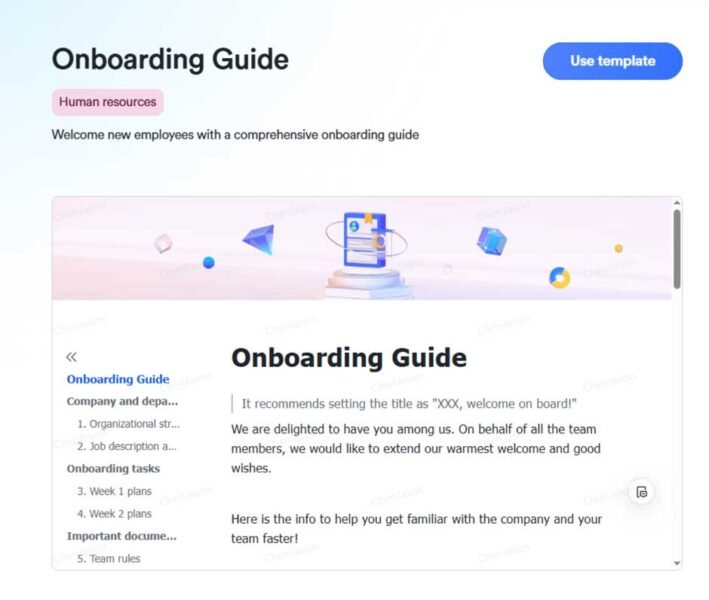
Lark onboarding template
Working together, not in isolation
One of the biggest frustrations in the workplace is when tools don’t talk to each other. With Lark, every feature is part of the same environment, so moving from a chat to a document to a task list feels natural — because it is.
For example, while viewing a task in Base, you can attach relevant files, link to a Wiki page, or start a chat with the assigned teammate without opening a separate app. When you’re working in a Doc, you can launch a video call with collaborators right from the page. This level of connection keeps the focus on the work, not the tools.

Lark All in one platform
Final thoughts
Taking a project from idea to completion shouldn’t mean wrestling with half a dozen platforms and hoping nothing gets lost in the shuffle. Lark gives you a single place to plan, communicate, automate, and execute — with clarity at every stage.
If your goal is to move from planning to execution without losing momentum or context, this all-in-one platform was built to make that happen. And once you see how it streamlines your workflow, it’s hard to imagine going back to the old way.